
Confirm the complete 3VA9987-0KD81 part number and series from the product label.

Product imageRepresentative image. Confirm the exact label and configuration in the quotation.
Industrial productPart number: 3VA9987-0KD81
Siemens 3VA9987-0KD81 Draw-Out Base Crank Handle Accessory
Product lifecycleConfirm with quotationAvailabilityIn stock
- Part number
- 3VA9987-0KD81
- Availability
- In stock
- Category
- PLC & I/O Systems
- Subcategory
- Digital I/O Modules
✓ Part-number review✓ Condition stated in quote✓ Worldwide delivery options
Product overview
3VA9987-0KD81 product information
Siemens 3VA9987-0KD81
Reliable manual crank handle for safe and efficient draw-out operation of Siemens 3VA molded case circuit breakers in industrial power distribution systems
| Brand | Siemens |
| Model | 3VA9987-0KD81 |
| Voltage | Not applicable (mechanical accessory) |
| Country of Origin | Germany |
| Weight | 0.4 kg |
| Dimensions | 280 x 90 x 40 mm |
| Warranty | 12 months |
| Certifications | CE, RoHS |
| SKU / MPN | 3VA9987-0KD81 |
| What’s in the box | Draw-out crank handle, instruction sheet |
| Product Type | Draw-out base crank handle |
| Compatibility | Siemens 3VA5 and 3VA6 molded case circuit breakers |
| Function | Manual operation of draw-out mechanism |
| Material | Steel with ergonomic grip |
| Mounting Type | Hand-operated tool |
| Breaker Frame Size | 3VA5 / 3VA6 series up to 1000A |
Key benefits: Precision-engineered fit for 3VA breakers, ergonomic design reduces operator fatigue, durable steel construction, easy insertion into draw-out mechanism, enables safe breaker racking in/out of cassette
Typical applications: Industrial power distribution panels, motor control centers, switchgear retrofit and maintenance, data center power systems, manufacturing facility breaker servicing
Lifecycle: Active accessory product for current 3VA platform
Compatibility01 02 03 04
Confirm the complete system—not only the model number
Industrial components can differ by series, firmware, voltage, network, terminal base, memory, accessories and approvals. A matching front label does not by itself guarantee a drop-in replacement.
Send the existing system or application information when compatibility matters.
State quantity, preferred condition, destination and required delivery date.
Include a clear nameplate photo when the revision is uncertain.
Supply condition
Know what is being quoted
The offered condition and inspection scope should be written into the quotation. Do not assume every source uses condition terms in the same way.
New product
Ask whether the unit is factory sealed, open-box or unused surplus, and confirm packaging when relevant.
Unused surplus
Confirm packaging, storage evidence, label condition and included accessories.
Refurbished product
Confirm the refurbishment source, functional test scope, cosmetic condition and warranty.
Used product
Request clear photographs and available inspection or functional-test information.
Documents & support
Technical references
Manufacturer documentation should be used for engineering, installation, safety and certification decisions. This page supports identification and sourcing; it does not replace the manufacturer manual.
Related PLC & I/O Systems products
Browse category products → Industrial productMS8609AAnritsu MS8609A Digital Mobile Radio Transmitter Free Shipping from Japan Used
 Industrial product1R-W0065-A-07-NNNNMINT CONDITION Rexroth IndraDrive M HMV01.1R-W0065-A-07-NNNN *SAMEDAY SHIP AVAI
 Industrial product1422-CLGeneral Radio IET Labs GR 1422-CL Precision Variable Capacitor 10-110 pF 1422CL
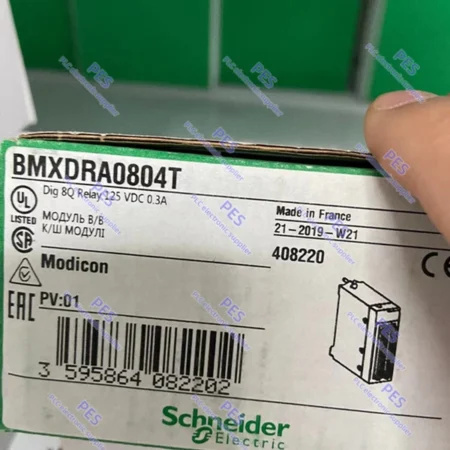 Industrial productBMXDRA0804TBrand New SCHNEIDER ELECTRIC DIGITAL MODULE BMXDRA0804T FAST SHIPPING
Product questions
Common product questions
Find answers about product identification, compatibility, condition options and quotation requirements.
How can I identify the correct product?
Check the complete part number, series, revision and product label before requesting a quotation.
How should compatibility be confirmed?
Compare the electrical specifications, communication requirements, accessories and existing system documentation.
Which condition options are available?
Products may be offered as new, surplus, refurbished or used. The quotation will state the supplied condition.
What information is needed for a quotation?
Provide the part number, quantity, preferred condition, destination and required delivery date.
Need 3VA9987-0KD81?
Request a QuoteSend the part number and receive a clear quotation.
Include quantity, acceptable condition, destination and timing. A label photo helps verify the request.