
Confirm the complete 2706-DL20 2706-B23J16 part number and series from the product label.

Product imageRepresentative image. Confirm the exact label and configuration in the quotation.
Industrial productAllen-BradleyPart number: 2706-DL20 2706-B23J16
Allen-Bradley 2706-DL20 2706-B23J16 HMI Display Screen
- Part number
- 2706-DL20 2706-B23J16
- Availability
- In stock
- Category
- HMI & Industrial Computing
✓ Part-number review✓ Condition stated in quote✓ Worldwide delivery options
Product overview
2706-DL20 2706-B23J16 product information
Allen-Bradley 2706-DL20 2706-B23J16
Reliable Allen-Bradley PanelView 900 HMI display for industrial operator interface and machine control monitoring
| Brand | Allen-Bradley |
| Model | 2706-DL20 2706-B23J16 |
| Voltage | 24V DC |
| Country of Origin | USA |
| Weight | 3.2 kg |
| Dimensions | 317 x 242 x 50 mm |
| Warranty | 6 months |
| Certifications | UL, CSA, CE, C-Tick, NEMA 4/4X |
| SKU / MPN | 2706-DL20 |
| What’s in the box | Display screen unit, mounting clips, RS-232/RS-485 cables, installation manual |
| Display Type | STN Monochrome LCD (DL20) / TFT Color LCD (B23J16) |
| Screen Size | 9-inch diagonal |
| Resolution | 640 x 480 pixels |
| Communication | RS-232, RS-485, DH-485, DH+ |
| Backlight | CCFL, 50,000 hours rated life |
| Mounting | Panel cutout, flush mount NEMA 4/4X |
Key benefits: High visibility industrial display, NEMA 4/4X rated for harsh environments, seamless integration with PLC-5 and SLC 500 controllers, long backlight life, front-accessible programming
Typical applications: Manufacturing plant floor monitoring, machine operator interface, process control panels, packaging line supervision, water/wastewater treatment SCADA
Lifecycle: Discontinued, limited availability, legacy support through Rockwell Automation
Compatibility01 02 03 04
Confirm the complete system—not only the model number
Industrial components can differ by series, firmware, voltage, network, terminal base, memory, accessories and approvals. A matching front label does not by itself guarantee a drop-in replacement.
Send the existing system or application information when compatibility matters.
State quantity, preferred condition, destination and required delivery date.
Include a clear nameplate photo when the revision is uncertain.
Supply condition
Know what is being quoted
The offered condition and inspection scope should be written into the quotation. Do not assume every source uses condition terms in the same way.
New product
Ask whether the unit is factory sealed, open-box or unused surplus, and confirm packaging when relevant.
Unused surplus
Confirm packaging, storage evidence, label condition and included accessories.
Refurbished product
Confirm the refurbishment source, functional test scope, cosmetic condition and warranty.
Used product
Request clear photographs and available inspection or functional-test information.
Documents & support
Technical references
Manufacturer documentation should be used for engineering, installation, safety and certification decisions. This page supports identification and sourcing; it does not replace the manufacturer manual.
Related HMI & Industrial Computing products
Browse category products → Industrial product542-0DA10-0AX0New Genuine Siemens 6AV6 542-0DA10-0AX0 HMI Touch Panel Free Shipping
 Industrial productKDT-4588KDT-4588 Touch Screen for KDT-4588 Touchpad Panel Glass Digitizer
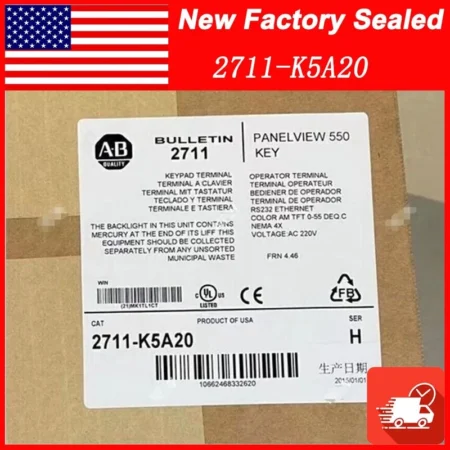 Industrial product2711-K5A20New Allen-Bradley 2711-K5A20 /H PANELVIEW 550 KEY Standard Terminal 2711 K5A20
 Industrial productAMT10736AMT10736 AMT 10736 Touch Screen Panel Glass Digitizer AMT10736 AMT 10736
Product questions
Common product questions
Find answers about product identification, compatibility, condition options and quotation requirements.
How can I identify the correct product?
Check the complete part number, series, revision and product label before requesting a quotation.
How should compatibility be confirmed?
Compare the electrical specifications, communication requirements, accessories and existing system documentation.
Which condition options are available?
Products may be offered as new, surplus, refurbished or used. The quotation will state the supplied condition.
What information is needed for a quotation?
Provide the part number, quantity, preferred condition, destination and required delivery date.
Need 2706-DL20 2706-B23J16?
Request a QuoteSend the part number and receive a clear quotation.
Include quantity, acceptable condition, destination and timing. A label photo helps verify the request.