
Confirm the complete TDS3034 part number and series from the product label.

Product imageRepresentative image. Confirm the exact label and configuration in the quotation.
Industrial productPart number: TDS3034
Floppy Drive Emulator Tektronix TDS3034 TDS500 TDS600 Oscilloscope...
- Part number
- TDS3034
- Availability
- In stock
- Category
- Test, Inspection & Maintenance
- Subcategory
- Test & Measurement Instruments
✓ Part-number review✓ Condition stated in quote✓ Worldwide delivery options
Product overview
TDS3034 product information
Core Value:
Enables legacy Tektronix oscilloscopes to use modern USB storage devices by emulating a floppy drive, enhancing data transfer and storage capabilities.
Features:
• Plug-and-play installation
• USB 2.0/3.0 compatibility for fast data transfer
• Emulates standard 1.44MB floppy drive format
Applications:
• Data logging and retrieval on Tektronix TDS series oscilloscopes
• Firmware updates and configuration backups
Compatibility01 02 03 04
Confirm the complete system—not only the model number
Industrial components can differ by series, firmware, voltage, network, terminal base, memory, accessories and approvals. A matching front label does not by itself guarantee a drop-in replacement.
Send the existing system or application information when compatibility matters.
State quantity, preferred condition, destination and required delivery date.
Include a clear nameplate photo when the revision is uncertain.
Supply condition
Know what is being quoted
The offered condition and inspection scope should be written into the quotation. Do not assume every source uses condition terms in the same way.
New product
Ask whether the unit is factory sealed, open-box or unused surplus, and confirm packaging when relevant.
Unused surplus
Confirm packaging, storage evidence, label condition and included accessories.
Refurbished product
Confirm the refurbishment source, functional test scope, cosmetic condition and warranty.
Used product
Request clear photographs and available inspection or functional-test information.
Documents & support
Technical references
Manufacturer documentation should be used for engineering, installation, safety and certification decisions. This page supports identification and sourcing; it does not replace the manufacturer manual.
Related Test, Inspection & Maintenance products
Browse category products →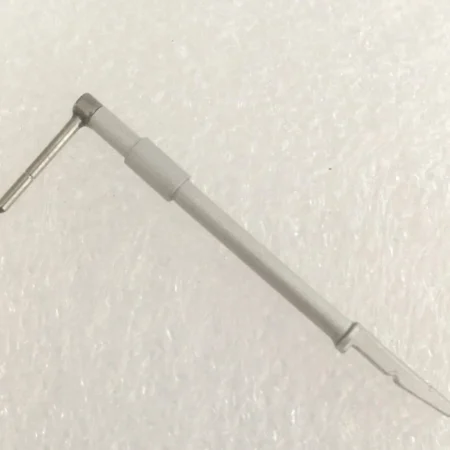 Industrial product12AAC735Mitutoyo 12AAC735 Styli for Surface Roughness Measurement Deep Groove Stylus
 Industrial productAI-Q-1410Innalabs Control Rugged Accelerometer SEALED AI-Q-1410 Grade
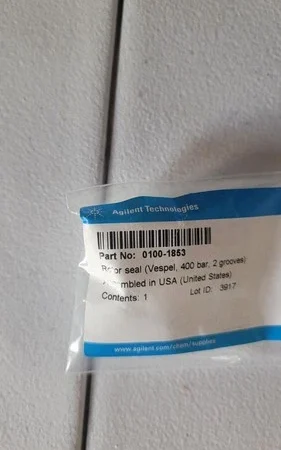 Industrial product0100-1853Agilent Vespel 400 2 Grooves. 2 Position 0100-1853 Brand Rotor Seal
 Industrial productPROD024452National Instruments 4 CHANNEL ISOLATED 24 /60V UNIVERSAL MODULE...
Product questions
Common product questions
Find answers about product identification, compatibility, condition options and quotation requirements.
How can I identify the correct product?
Check the complete part number, series, revision and product label before requesting a quotation.
How should compatibility be confirmed?
Compare the electrical specifications, communication requirements, accessories and existing system documentation.
Which condition options are available?
Products may be offered as new, surplus, refurbished or used. The quotation will state the supplied condition.
What information is needed for a quotation?
Provide the part number, quantity, preferred condition, destination and required delivery date.
Need TDS3034?
Request a QuoteSend the part number and receive a clear quotation.
Include quantity, acceptable condition, destination and timing. A label photo helps verify the request.